

Modern education and training have a profound impact on audio. It helps you teach clearly and can address learners at different levels. Nevertheless, there is voice strain, time limits, and the problem of repetition that accompany teaching and coaching.
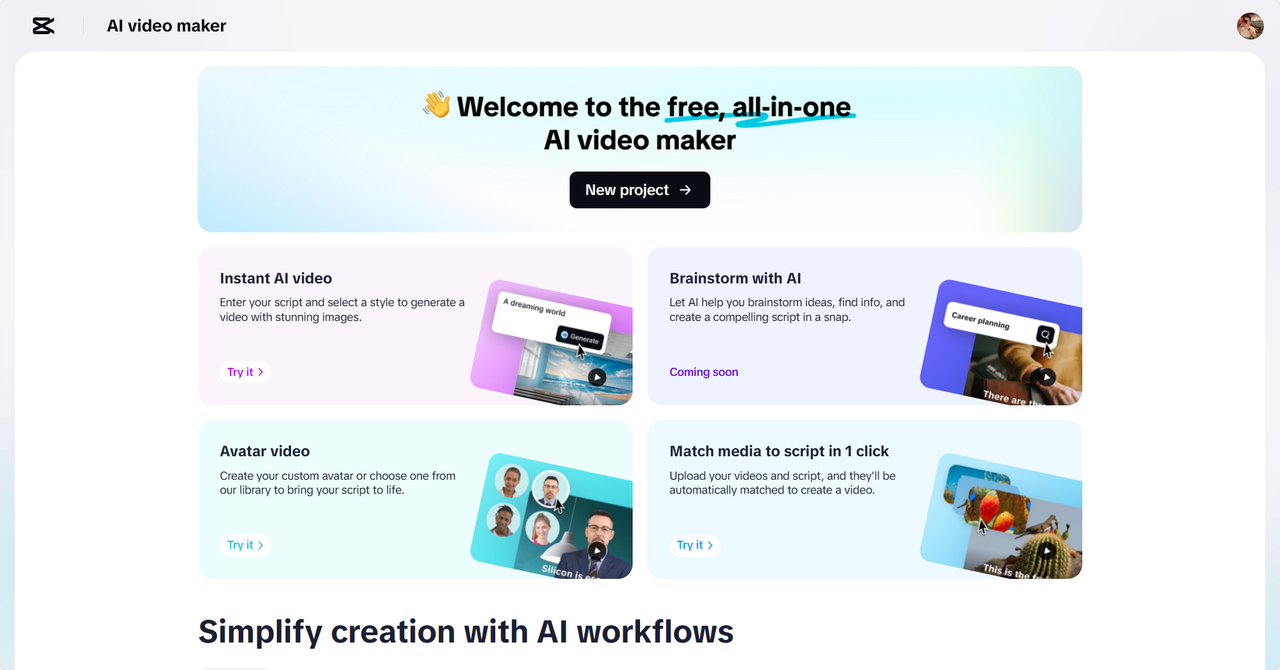
Teachers now rely on technology to work more efficiently. The AI video editor CapCut Web provides a stable voice feature that can be used to teach with its natural-sounding speech.
Why Teachers Must Adopt AI Voice Technology?
AI-generated voice enables you to be more efficient at multitasking. You can create course material and hand the tool over to speak in a consistent voice. This implies that you conserve your voice and concentrate on interaction. Students with different needs also have better accessibility with AI voice tools.
Auditory learning is beneficial to learners who are visually impaired or have reading challenges. With lessons that are well-explained, paced, and refreshed, there is enhanced retention.
You also achieve the advantage of vocal consistency. Regardless of whether the teaching is live or asynchronous, the message is the same. CapCut Web provides you with transparent and flexible audio options for various learners.
Audio Functionality of CapCut Web for Educational Effect
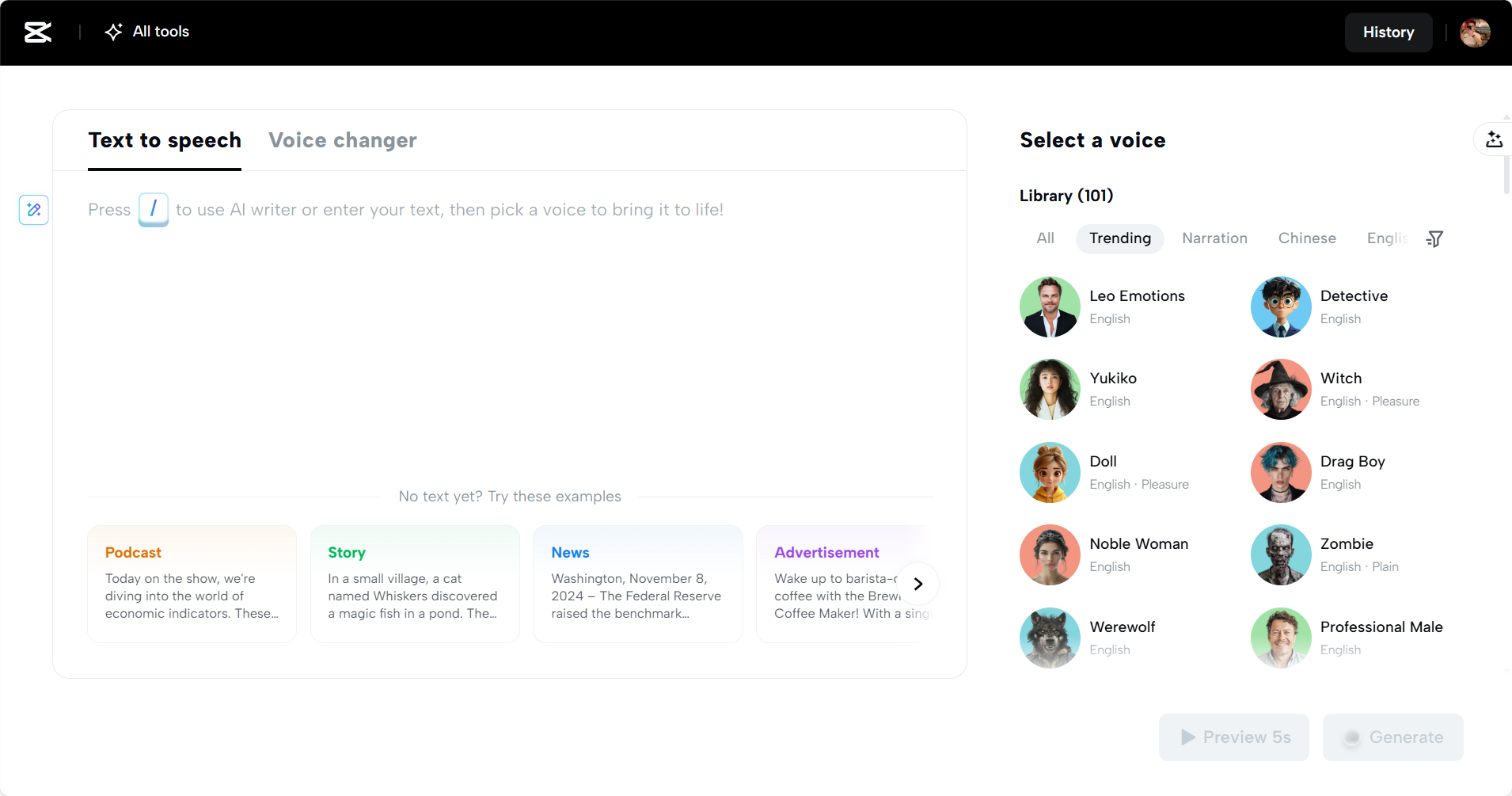
CapCut Web text to audio free tool allows you to add voice variation in learning. Various tones can be used to emphasize, highlight key points, or create interest.
There are voice types, including male, female, and character tones, in multiple languages such as English, Spanish, and Arabic. These settings help you align the voice with the tone or level of difficulty in your content.
You also receive captions that help inclusive education. Captions aid students’ visualization, complementing the audio. You can customize audio to suit age groupings with adjustable tone settings.
The younger learners are more responsive to gentle, playful voices. Adult learners like quiet, teacher-like voices. CapCut Web will allow you to satisfy both needs.
Audio in Teaching and Training
Audio enlarges your content delivery. Apply voiceovers in a flipped classroom to narrate the lesson. Record audio to narrate slides, and you won’t need to repeat the same things every lesson. Audio is also practical as a motivational message. Apply them to establish a rapport with learners and motivate them to advance.
Trainers can develop coaching routines, mindfulness exercises, or technical guides. AI voice maintains consistency in the content and provides it on demand. The format is ideal for both face-to-face and distance learners.
Using Text to Audio Free – Step by Step
Step 1: Create or input your lesson script
Begin by selecting “Try it for free” on CapCut Web. Paste your content directly or press “/” to activate the AI writer. Whether it’s a lecture outline, training instructions, or an educational tip, the tool helps shape clear and engaging messages.
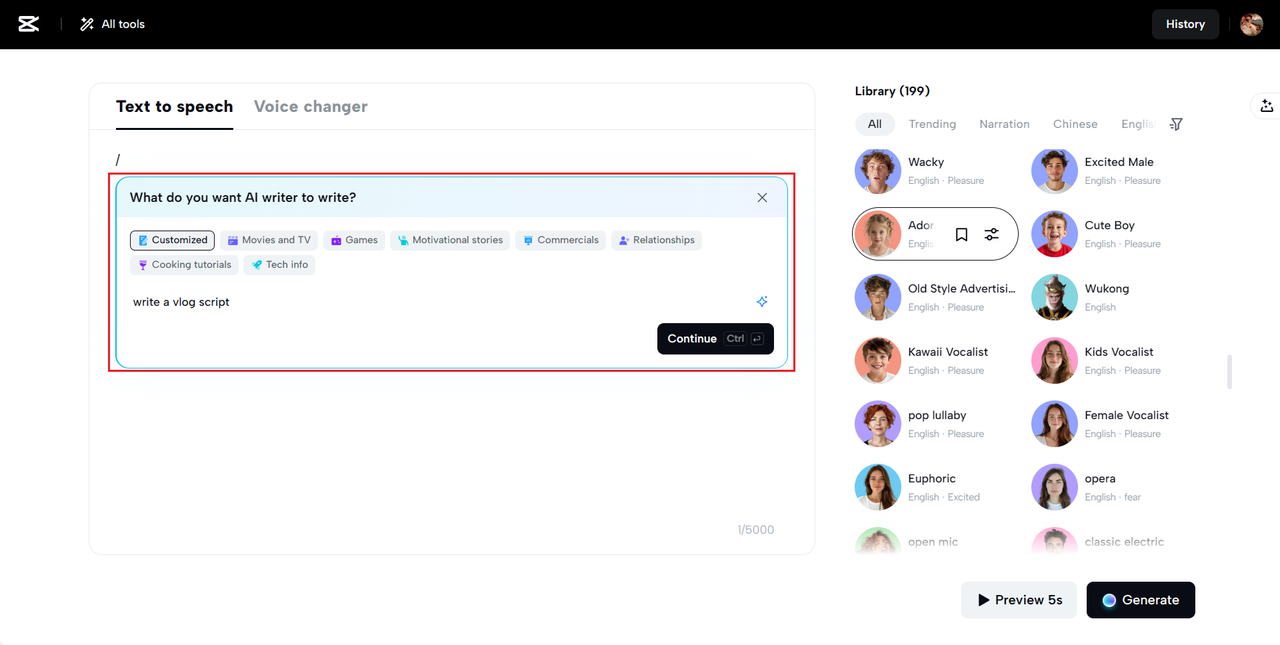
Refine your material with editing options to clarify complex terms, shorten lengthy text, or add emphasis to key points. You stay in full control while the AI helps optimize your educational delivery.

Step 2: Choose a voice that connects with learners
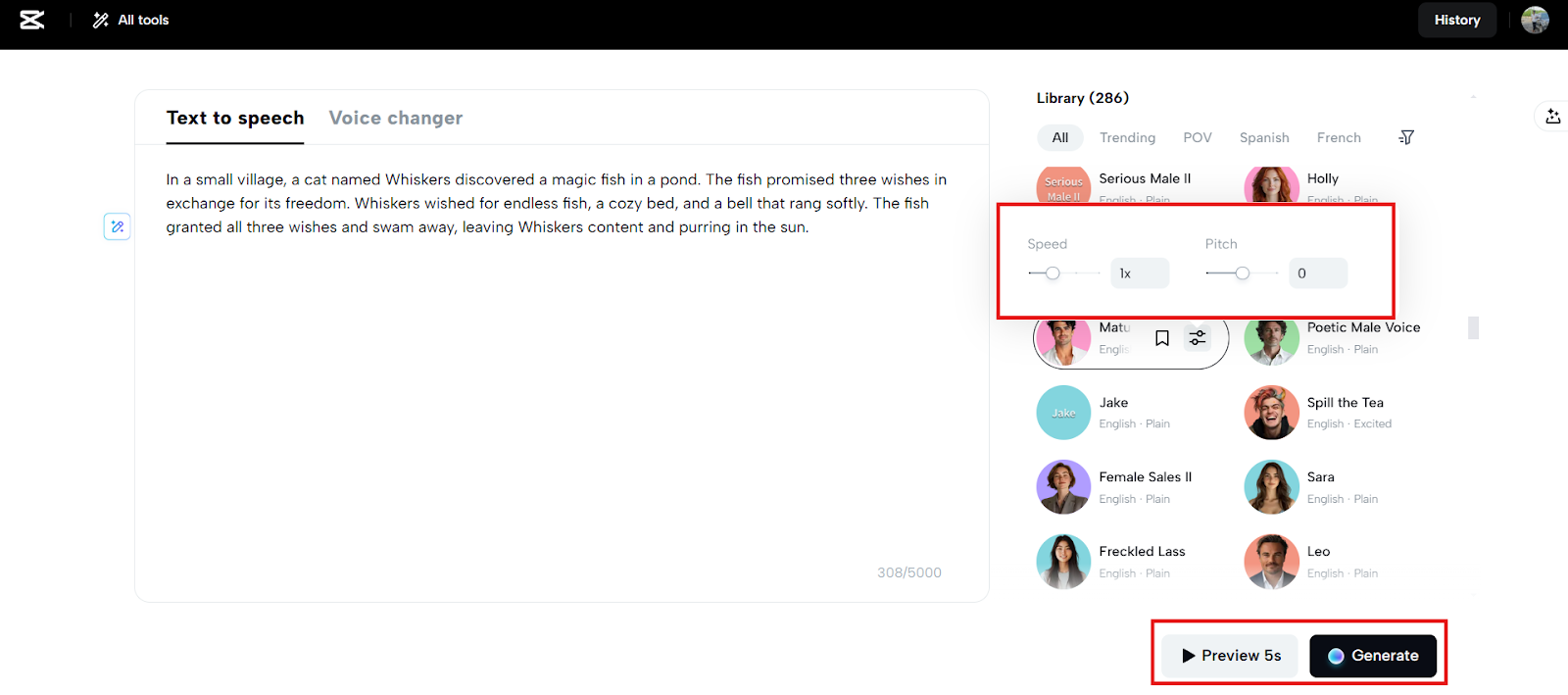
Next, go to the voice settings panel and explore a variety of tones—from friendly and calm to energetic and animated. Use the filters to narrow down voices by gender, language, and clarity. Click “Done” to view a personalized list.
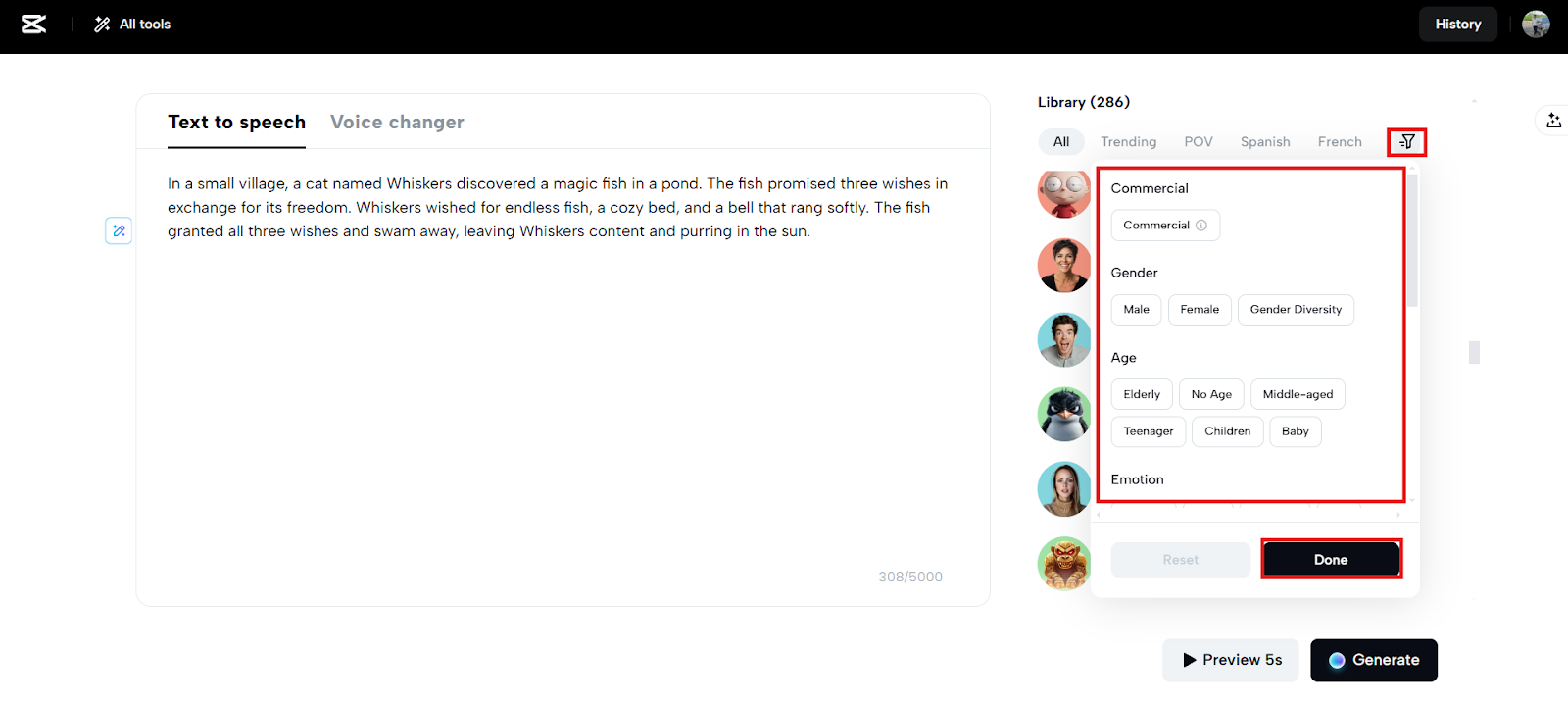
Adjust pitch and speed for better engagement—especially useful when teaching young learners or explaining intricate topics. Use “Preview 5s” to test, then hit “Generate” to bring your script to life.
Step 3: Export your teaching audio instantly
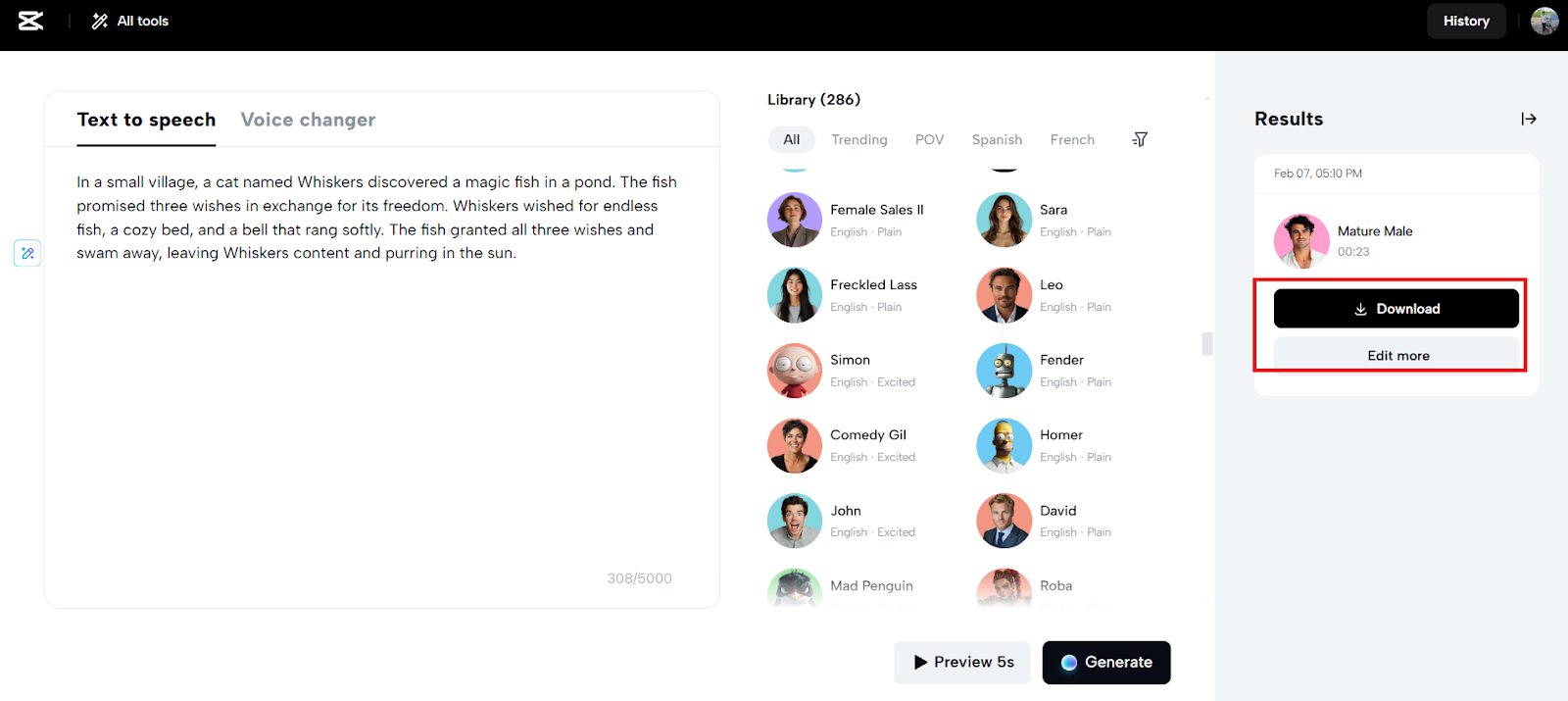
When the voiceover is complete, download it in your preferred format—”Audio only” for lectures or “Audio with captions” for visually supported lessons. It’s perfect for e-learning modules, slideshows, or instructional videos. Click “Edit more” if you want to combine visuals and voice seamlessly inside CapCut.
Optimizing AI Voices for Learning Outcomes
To maximize impact, adjust playback speed for repetition. Slower speeds help with complex topics. Faster speeds suit quick reviews or summaries. Choose a voice that reflects your subject. Use a firm tone for science or math and a soft one for storytelling or wellness.
Pair the audio with visual content like slides or images. This enhances engagement and supports different learning styles. Combining visual and auditory input improves memory and understanding.
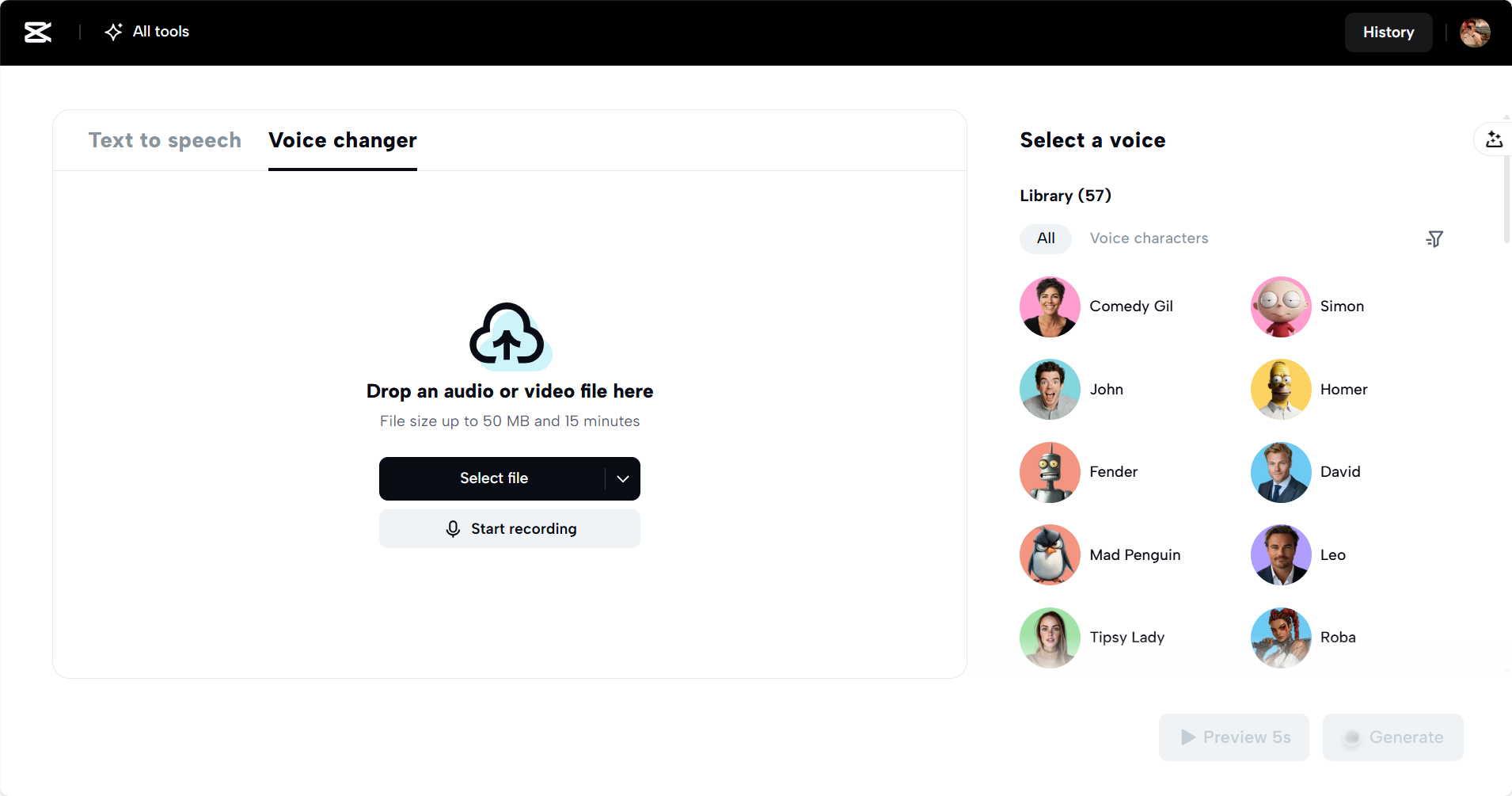
CapCut Web also allows you to explore its voice changer feature. This adds flexibility when adapting tone or character for role-playing, storytelling, or entertainment within learning sessions.
Conclusion
CapCut Web offers a smart way to transform how you teach and train. It reduces fatigue, saves time, and increases content reach. Using text to audio free, you make your lessons more accessible, engaging, and consistent.
The platform supports multiple voices, languages, and settings to fit any teaching goal. Whether you coach students, train employees, or mentor teams, CapCut Web helps you simplify delivery without compromising quality. Try it today and let voice-driven content enhance your educational impact.
