

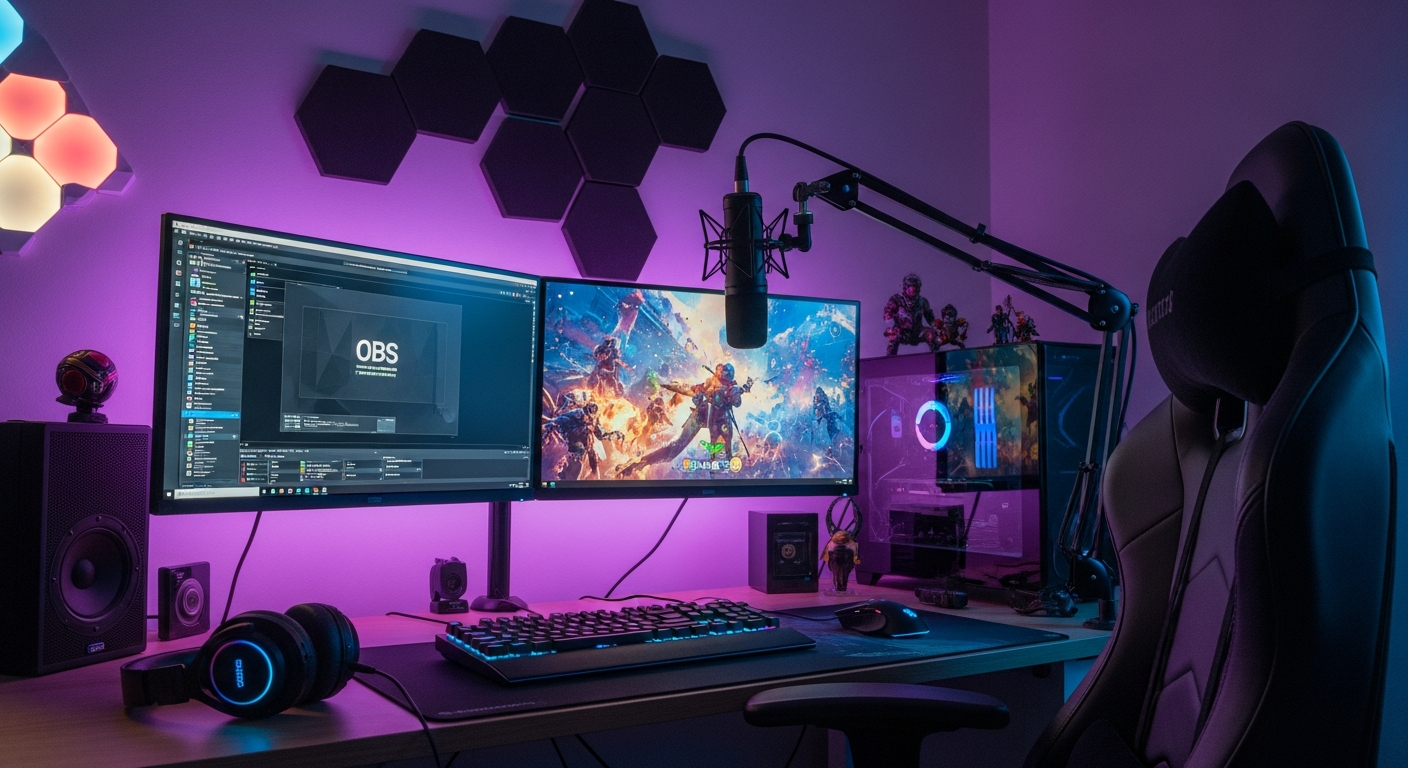
You can have the best camera, the cleanest overlays, and god-tier gameplay. None of it matters if your audio sounds like garbage.
Viewers will tolerate pixelated video. They won’t tolerate painful audio. Getting your sound right is the single most impactful upgrade you can make to your stream. And most of it costs way less than you think.
Good Sound Separates Professionals From Amateurs
Here’s a brutal truth. Viewers click away from streams with bad audio within seconds. They don’t leave comments explaining why.
They don’t give you a chance to improve. They just leave. Studies on viewer retention confirm what successful streamers already know.
Audio quality directly predicts whether someone stays or bounces. Your voice is your primary connection to your audience. If it sounds thin, echoey, or buried under noise, that connection never forms.
The frustrating part? Most audio problems have nothing to do with your microphone. You could drop $400 on a Shure SM7B and still sound amateur.
The real enemies are your room and your environment. Sound bounces off bare walls, hardwood floors, and that glass desk you thought looked cool. Echo makes you sound distant and unprofessional.
Background noise from fans, keyboards, and traffic competes with your voice. Many streamers invest in acoustic panels only after struggling for months with these issues. Earlier treatment would have saved them endless frustration.
The streamers you admire sound professional because they’ve solved these problems. Their voices cut through clearly. No room reflections. No competing noise. Just clean, present audio that keeps viewers engaged.
The good news is that achieving this doesn’t require a recording studio budget. It requires understanding what’s wrong and fixing it systematically.
Quick Fixes That Make an Immediate Difference
You don’t need to buy gear to sound better today. Most improvements come from technique and settings. Let’s start with the free stuff.
Mic Placement Tricks Most Beginners Miss
Distance is everything. Most streamers sit way too far from their microphones. Your mouth should be four to eight inches from the capsule. Not twelve. Not eighteen. Close. This single change transforms your audio more than any equipment upgrade.
Angle matters too. Speaking directly into the front of a condenser mic often causes plosive problems. Position the mic slightly off-axis. Aim it at your mouth but tilt it about 15 degrees to the side or have it slightly above pointing down at your lips. You’ll capture the same voice with fewer explosive bursts on hard consonants.
Height affects tone. A mic below your mouth pointing up captures more chest resonance and sounds warmer. A mic above pointing down sounds thinner but often clearer. Experiment to find what flatters your voice. There’s no universal right answer.
Isolation from vibration prevents rumble and handling noise. Your mic shouldn’t touch your desk directly. A boom arm is ideal. At minimum, use a shock mount. Even a folded towel under a desk stand helps reduce vibration transfer.
Keep your mic away from your keyboard and mouse. Every click and clack gets picked up if your microphone sits right next to your peripherals. Boom arms let you position the mic near your mouth while the stand lives far from noise sources. Worth the investment even at the budget end.
Software Settings That Clean Up Your Audio
Your streaming software has powerful audio tools built in. Most streamers never touch them. Big mistake.
Noise suppression should be your first stop. OBS has built-in noise suppression that works surprisingly well. NVIDIA Broadcast offers AI-powered noise removal if you have an RTX card.
These tools eliminate constant background noise like fans and air conditioning without affecting your voice. Start with moderate settings and increase only if needed. Too aggressive and you’ll sound robotic.
A noise gate cuts your mic when you’re not speaking. This prevents quiet room noise from filling dead air. Set the threshold just above your room’s noise floor. The mic opens when you talk and closes when you stop. Clean silence between sentences sounds professional.
Compression evens out your volume. When you get excited and yell, compression keeps you from blowing out viewers’ ears.
When you speak quietly, it brings you up. The result is consistent, listenable audio regardless of your energy level. Most streaming software includes a compressor. Use a ratio around 3:1 or 4:1 to start.
EQ lets you shape your tone. A high-pass filter around 80Hz removes rumble and room boom. A slight cut around 300-400Hz reduces muddiness.
A gentle boost around 3-5kHz adds presence and clarity. Don’t go crazy. Subtle moves sound natural. Heavy-handed EQ sounds processed and weird.
The order of these effects matters. Generally you want: noise gate first, then EQ, then compression, then noise suppression, then limiter. Experiment with your specific setup, but this chain works for most streamers.
Treating Your Room Without Spending a Fortune
Professional acoustic treatment costs thousands. You don’t need professional treatment. You need enough treatment to tame the worst reflections.
The difference between an untreated room and a basically treated room is massive. The difference between basic and professional treatment is subtle.
Start with what you already own. Bookshelves filled with books break up reflections beautifully. A couch or upholstered chair absorbs sound.
Curtains over windows stop one of the worst reflection sources. A rug on hardwood flooring makes a huge difference. Rearranging existing furniture costs nothing and often solves half the problem.
Hang blankets strategically for immediate improvement. Moving blankets are cheap and effective. Hang them behind your monitor where sound from your mouth bounces straight back. Cover any wall directly facing you. This ghetto treatment actually works. It’s ugly, sure. But effective ugly beats pretty and echoey.
DIY panels cost a fraction of commercial options. Rigid fiberglass insulation wrapped in fabric performs nearly as well as expensive alternatives.
Build simple wooden frames, insert two-inch thick panels, wrap in breathable fabric. Total cost maybe $30 per panel versus $80 or more for equivalent commercial products.
Focus treatment at reflection points. Sit in your streaming position and have someone slide a mirror along your walls. Wherever you can see your speakers or microphone in the mirror is a reflection point. Treat those spots first. You don’t need to cover every wall. Strategic placement handles most problems.
Behind you matters more than you think. The wall behind your streaming position bounces sound back at your microphone. Treat this area even if you treat nothing else. A thick blanket, a bookshelf, hanging clothes. Anything absorptive helps.
How to Test Your Audio Before Going Live?
Never go live without testing. Ever. Conditions change. Software updates reset settings. Cables come loose. Something that worked yesterday might fail today. A two-minute test saves you from streaming an hour with broken audio.
Record a test clip in your actual streaming software. Not just your microphone software. OBS or Streamlabs or whatever you use. The full chain matters. Talk at various volumes. Whisper. Speak normally. Get excited like you would during gameplay. Listen back for problems.
Check your audio in your streaming dashboard after starting. Most platforms show audio levels in the dashboard or preview. Watch those meters while talking. Confirm signal flows and levels look right before announcing you’re live.
Ask a trusted viewer for feedback in the first few minutes. Audio can sound fine on your end and reach viewers distorted due to bitrate or encoding issues. Someone watching your actual stream catches problems you’d miss monitoring locally.
Test your alerts and media sources. That loud donation sound that seemed fine in preview might blow out your stream’s audio mix.
Game audio that sounded balanced in testing might bury your voice during intense moments. Run through typical scenarios before they happen live.
Create an audio checklist and use it for every stream. Mic connected and selected. Interface powered on. Gain levels are correct. Filters active in OBS. Headphones monitoring live output. Check every item every time. It takes thirty seconds and prevents disasters.
What Your Favorite Streamers Do Differently?
Top streamers don’t have magic equipment. Many use surprisingly modest gear. What separates them is attention to detail and consistent refinement of their setup.
They treat their room properly. Walk through any popular streamer’s setup video and you’ll see treatment everywhere. Behind the monitor.
On the walls. On the ceiling sometimes. They’ve eliminated the room from their sound. What you hear is their voice, clean and present.
They use hardware processing. Many professional streamers run their audio through dedicated hardware like the GoXLR, Rodecaster, or dbx processors.
These devices handle compression, EQ, and effects in real time with zero latency. The consistency is bulletproof because settings live in hardware rather than software that might crash or reset.
They obsess over the signal chain. Every connection, every setting, every piece of the path from mouth to audience ears has been considered and optimized. Nothing is left to default. They’ve tested alternatives and chosen deliberately.
They listen critically to their own streams. Not just assuming things sound fine. Actually listening to VODs and recordings. Identifying problems. Making adjustments. Then listening again. This feedback loop drives continuous improvement.
They work their microphones like instruments. Distance, angle, and energy all adjust in real time based on what’s happening.
Quiet moment? They lean closer. Intense gameplay? They pull back slightly. This dynamic technique keeps levels consistent without relying entirely on compression.
They keep learning. Audio technology evolves. New tools emerge. Better techniques are being developed. The best streamers stay curious and keep experimenting. What worked two years ago might not be optimal today.
The gap between amateur and professional audio isn’t about money. It’s about caring enough to get things right. Every fix in this guide stacks.
Better mic placement, plus room treatment, plus proper software settings, plus good monitoring habits equals audio that competes with anyone. Start with the free improvements. Add gear strategically.
Keep refining. Your audience will notice the difference even if they can’t articulate why. They’ll just know your stream sounds professional. And they’ll stay.
