

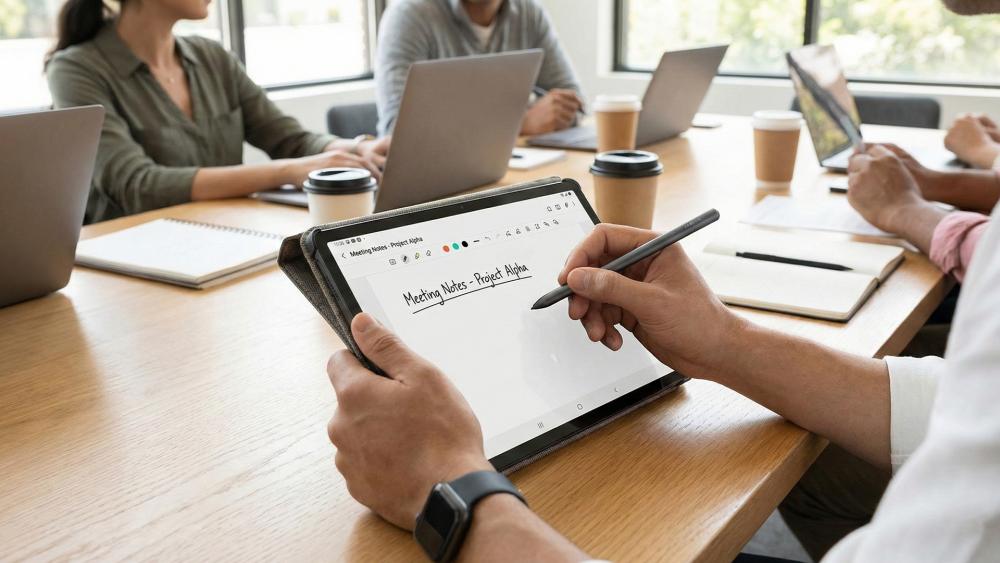
Most people buy a tablet case to protect their screen. That makes sense. But the case you choose does more than prevent cracks; it shapes how you work, where you work, and how long you can stay focused before your neck or wrist starts complaining.
Whether you carry a tablet to class every day or use one across client meetings, the case is part of your setup. This guide breaks down what to look for, what to avoid, and why the details matter more than you might expect.
Why Your Tablet Case Is a Productivity Tool
Think about the last time you tried to type on a tablet lying flat on a desk. The angle is off, your wrists bend the wrong way, and you end up shifting your posture every few minutes. A well-designed case fixes that before it becomes a habit.
Viewing Angles and Typing Posture
A case with a multi-angle stand lets you prop the screen at eye level. That alone reduces neck strain during long sessions. For typing, a 15-to-25-degree tilt is the range most ergonomic guidelines recommend for wrist comfort. Cases that hold only one fixed angle usually around 60 degrees work fine for video calls but not for extended keyboard use.
If you use a Bluetooth or attached keyboard with your tablet, the case determines whether your setup actually works at a desk, on a couch, or on your lap. Look for:
- A stable base that does not rock or slide on smooth surfaces
- An adjustable stand with at least two or three angle settings
- Enough clearance for a keyboard to sit below the screen without tilting the tablet back
Weight and Portability
A case that adds 400 grams to a tablet you carry in a backpack every day is a decision you feel in your shoulders. Polycarbonate and TPU shells keep the weight down while still absorbing drops. Folio-style leather cases look sharp but tend to run heavier. Check the gram count before you buy, not just the materials list.
What Students Should Look for in a Tablet Case
Students move. You go from a lecture hall to a library to a coffee shop, and your tablet takes the trip in your bag every time. The case needs to hold up to that routine, not just look good on a product page.
Drop Protection Without the Bulk
Military-grade drop protection is a standard claim in many cases, but the underlying spec is MIL-STD-810H. That standard cover drops from 48 inches across multiple impact points. If a case does not reference a specific standard, the claim is unverified.
For students, a rugged shell case or a folio with reinforced corners is the practical middle ground. Full rugged cases with thick bumpers on every edge can make the tablet feel like a brick. They protect well but add size and weight you may not need if your biggest risk is a desk drop, not a construction site.
Integrated Storage
Students deal with physical items alongside digital ones: a stylus, ID cards, a campus transit card, maybe a credit card. Cases with a small card slot or a stylus loop reduce the number of things you track separately. It sounds minor until you are running between classes and your Apple Pencil is nowhere. This is where thoughtfully designed custom tablet cases can make a real difference by combining protection with practical storage features tailored to student needs.
Lap-Friendly Design
Not every class has a desk. Some lecture halls have narrow armrests, and libraries fill up fast. A case that balances on your lap with a base wide enough to stay flat and a stand that does not require a level surface handles those situations without forcing you to hold the tablet by hand for an hour.
What Professionals Should Look for in a Tablet Case
For professionals, the requirements shift. You are less worried about surviving a fall down a staircase and more concerned with how the setup looks in a boardroom, how well it works during a client presentation, and whether it fits into a laptop bag without adding bulk.
Clean, Professional Appearance
A matte folio in black or charcoal reads as professional in most business settings. Bright colors and textured rugged cases are practical as they draw attention in meetings. If your tablet comes out in front of clients regularly, the case is part of the impression you make.
Custom Logo Cases offers personalized cases where you can add your company branding to the exterior. For sales teams, consultants, and client-facing professionals, a branded case is a small but visible detail that shows you take the work seriously.
Keyboard Compatibility
Many professionals who use tablets as laptop replacements pair them with a keyboard case. The Logitech Combo Touch, Apple Magic Keyboard folio, and similar accessories require a case that is either the keyboard itself or one that works alongside a detached keyboard. If you use a separate keyboard, make sure the tablet case stand holds the screen at the right angle for that keyboard’s height. Not all combinations work well together.
Multi-Device Workflow Support
Some professionals use a tablet alongside a laptop, one for reference, one for input. In that context, the tablet case needs to hold the screen upright hands-free for extended periods while you work on the other device. A kickstand case handles this better than a folio because it does not require the tablet to lean against anything.
Case Types Compared: A Straight Look at the Options
Folio Cases
Cover the front and back. Often include a stand built into the cover. Good for general use, light protection, and keeping the tablet clean in a bag. The main trade-off is that the cover flaps around when you hold the tablet in portrait mode.
Keyboard Cases
Combine protection and input in one unit. Ideal if you use the tablet as a primary work device. They add meaningful weight and are not useful if you already own a separate keyboard.
Shell or Snap Cases
Cover only the back and corners. Minimal weight and bulk. Good if you mostly use the tablet at a fixed workstation or pair it with a separate keyboard stand. Offer less protection than folio or rugged options.
Rugged Cases
Built for maximum protection. Thick edges, sometimes with screen protectors included. Best for field work, warehouses, healthcare settings, or students in high-risk environments. Not the right choice if professional appearance matters to you.
Sleeve Cases
Transport-only cases. You take the tablet out to use it. Good for keeping the tablet scratch-free inside a bag, but they do not contribute to how you work once the tablet is out.
The Stylus Problem Most Cases Ignore
If you use a stylus for note-taking, annotation, or design work, the case needs a place to put it. This sounds obvious, but a large portion of tablet cases on the market in 2026 still have no stylus loop or slot. You end up balancing it on the desk, putting it in your pocket, or losing it.
Cases with a magnetic stylus holder on the side keep the stylus attached and charged (for Apple Pencil Pro and second-gen models) without adding bulk. If your workflow depends on a stylus, this feature should be on your checklist before you look at anything else.
Customization: When Standard Options Do Not Fit
Off-the-shelf cases work for most people. But some situations call for something specific: a company logo on the case for a sales team, a color that matches corporate branding, or a custom layout for a specific use case like point-of-sale or field data entry.
Custom Logo Cases specializes in exactly that. You get the protection and functionality of a well-made case with branding that reflects your organization. For businesses that issue tablets to employees or use them in customer-facing roles, a custom case is a practical choice, not just an aesthetic one.
A Quick Checklist Before You Buy
Before you choose a case, run through these questions:
- What is the primary environment classroom, office, field work, or mixed?
- Do you use a stylus? If yes, does the case have a dedicated holder?
- Do you type on the tablet often? If yes, does the case support a proper typing angle?
- How important is appearance in professional or client-facing settings?
- How often do you carry the tablet in a bag? Weight matters more than you think.
- Does the case need to work with a specific keyboard accessory?
- Do you need custom branding for your team or organization?
Answer those questions before you browse, and the field narrows fast.
The Bottom Line
A tablet case is not a passive accessory. It affects your posture, your workflow, how long you can work comfortably, and how your setup looks to the people around you. For students, the priorities are durability, portability, and practical features like stylus storage, especially when choosing reliable tablet cases for students that can handle everyday academic use. For professionals, appearance, keyboard compatibility, and stand stability tend to matter more.
Get the right case for how you actually work, not for the ideal scenario where you always have a desk and perfect lighting. The right choice is the one that fits your real routine.
Custom Logo Cases offers standard and custom-branded tablet cases for individuals, teams, and organizations. If you have specific requirements or want to explore branded options, reach out through the website.
