

Transitioning to the Arc browser presents significant challenges upfront. This isn’t due to technical complexities per se. Arc offers straightforward tools for bookmark importing, shares the same engine as Chrome, and boasts a welcoming onboarding process. Yet, Arc, a new browser from The Browser Company startup, diverges significantly from conventional browser paradigms, necessitating a period of adjustment and sincere effort to acclimate.
The CEO of The Browser Company, Josh Miller, frequently discusses the distinctions between operating systems and browsers. While browsers traditionally aim to provide access to the web without intrusion, operating systems play a more integral role in system functionality. Arc aspires to function as the web’s operating system, featuring tools to manage apps and content efficiently, transforming tabs and bookmarks into a more robust app launcher, and introducing platform-wide applications. This assertive approach sets Arc apart from conventional browsers with their uniform tab structures.
Analogous to TikTok’s treatment of video, Arc views the web as a collection of endlessly adaptable components for users to explore, manipulate, and craft into personalized experiences. This perspective marks a departure from the conventional static consumption model.
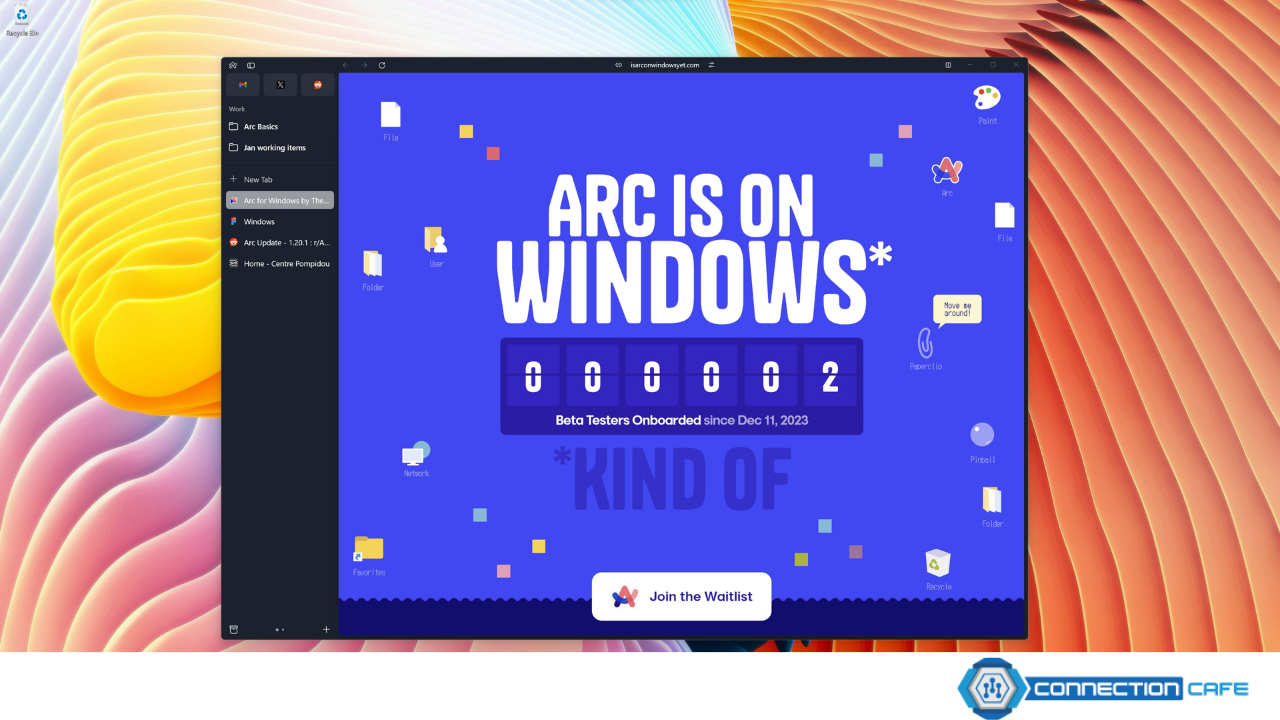
The contemporary web browser landscape is witnessing a notable shift. Users are seeking alternatives to Chrome, pursuing enhanced features, improved privacy, and refined user interfaces from options like Vivaldi, SigmaOS, Brave, Edge, and Firefox. However, Arc stands out as the most ambitious endeavor, aiming not only to enhance but to completely redefine the browsing experience.
Having utilized Arc periodically for over a year and as my primary browser for several months, I’ve observed its evolution. While still in beta with certain features incomplete and occasional bugs, Arc’s core concepts resonate profoundly. Whether The Browser Company is poised to challenge industry giants remains uncertain, but Arc’s vision likely shapes the future of browsers.
A Fresh Approach to Tab Management
Understanding Arc’s sidebar is crucial for grasping its unique browsing paradigm. Unlike conventional vertical tabs primarily aimed at maximizing screen space, Arc’s sidebar revolutionizes how users navigate their browsing experience.
The sidebar, situated on the left side of the Arc window, amalgamates tabs and bookmarks, serving as a multifunctional hub for managing open web pages. Each sidebar item represents an open web page, doubling as an app for swift access and continuity. This design addresses the common issue of inadvertently opening multiple instances of the same web app, as navigating back to a specific page is streamlined through Arc’s command bar.
Arc excels as an organizational tool, empowering users to customize their browsing environment extensively. Users can populate a “Favorites” section with up to eight apps for quick access, pin tabs, create nested folders, and customize tab names and colors. Arc’s proactive approach to tab management, including automatic closure of unpinned tabs, promotes a clutter-free browsing experience while preserving accessibility to archived content.
While Arc’s structural concept is commendable, its execution occasionally falters. Users may find it cumbersome to manage numerous pinned tabs, and the absence of a designated space for infrequently used bookmarks or bookmarklets contributes to sidebar clutter. Furthermore, frequent space switching may challenge users’ spatial awareness within the interface.
Navigating Arc’s idiosyncrasies and maximizing its efficiency often hinges on mastering keyboard shortcuts. Commands such as Command-T for accessing the command bar and Control plus number keys for space switching facilitate seamless navigation. While Arc’s URL bar placement may seem unconventional, keyboard shortcuts alleviate the need for manual navigation, reinforcing Arc’s emphasis on efficiency.

Arc’s versatility caters to power users, offering a robust browsing experience tailored to individual preferences. However, certain features, such as multi-window support, exhibit inconsistencies that detract from the overall user experience.
Seamless Integration and Cross-Platform Functionality
Despite its current limitations, Arc leverages iCloud for seamless synchronization across macOS devices, surpassing competitors in this regard. The prospect of extending this functionality to mobile platforms holds promise for a more cohesive browsing experience across devices.
Beneath its user-friendly interface lies the Chromium engine, ensuring compatibility with Chrome’s ecosystem while introducing innovative features and optimizations. Although Arc inherits some performance issues from Chrome, ongoing enhancements mitigate these drawbacks, enhancing overall browsing stability.
Arc’s innovative features transcend traditional browser functionality, blurring the lines between browser and operating system. Built-in media controls and picture-in-picture mode exemplify Arc’s evolution into a comprehensive web management tool, fostering seamless integration with web-based applications.
The inclusion of native apps like Notes and Easels underscores Arc’s ambition to transcend traditional browsing paradigms. By empowering users to edit and customize web content through Boosts, Arc extends its utility beyond conventional browsing, envisioning a future where the browser serves as the primary interface for web-based tasks.
While Arc’s window management may require refinement, its overarching vision aligns with the evolving landscape of web-based computing. As the distinction between native and web-based applications continues to blur, Arc’s role as a versatile platform for web interaction becomes increasingly apparent.
In conclusion, Arc represents a significant departure from conventional browsers, offering a glimpse into the future of web interaction. While certain aspects of its implementation may require refinement, Arc’s innovative features and overarching vision position it as a frontrunner in the evolving landscape of web browsing.
