

Going on vacation, scared that you cannot access your favorite shows on Netflix outside your household? Fortunately, there’s a one-stop solution to this problem on Netflix.
You can use Netflix’s “I’m Travelling” feature, which allows users to access their account on non-primary devices for a short period. In this article, we are going to see how it works, when to use it and a very quick setup for it. We will make sure you do not miss your favourite programs wherever you are.
Part 1: What Is Netflix’s “I’m Travelling” Feature?
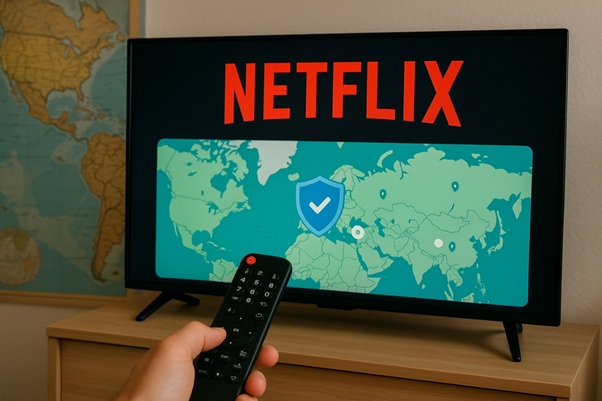
Netflix’s “I am travelling” feature is designed for those who are not at home and want access to Netflix outside of their Netflix households. So that lets you stream when you are anywhere else, and Netflix never logs you out. It all benefits you when you are out on holidays or with your family members, or are out for a business trip.
As always, Netflix checks where you are and usually assumes each month you will be using the same home Wi-Fi. Otherwise, it will be suspected that you are sharing your account with other users. When you verify it avoids all the logging errors, and your account will work whenever you are on the go.
Part 2: Can You Use Netflix While Travelling Abroad?
Yes, you can use Netflix even if you are outside your country. You may see the Netflix interface update the regional language automatically, but you can always change it back manually. However, there are certain limitations you need to remember. When you are travelling, you may see the local library you are visiting.
Sometimes downloaded content shows a playing error, even if it’s already downloaded. This is due to geo-restriction and content rights.
To skip such surprises, best to make use of the Netflix offline option before taking flight. Download first and play once with your home WiFi so later you will not have any playing error issues. Finally, note that outside of your country, you are also subject to the same terms of the subscription plan. This includes:
- How many devices can you watch simultaneously (simultaneous viewing limits)
- The maximum number of titles that you can download onto a device
- Download caps vary by plan
Sure, Netflix works in other countries, but it doesn’t look the same. If you plan, your experience will be much better, streaming anywhere you go.
Part 3: How to Use Travel Mode on Netflix?
The travel mode now “I’m Travelling” function in Netflix allows you to use your account when you are on a journey. If you want to stop the disruptions when streaming outside your house, you may check the methods below.
1. Use Netflix at Home Before You Travel
Make sure that your media, whether laptop, phone, tablet, or other device, is connected to your Wi-Fi at home and at least once in 31 days, and watch the Netflix content for a few seconds to establish a connection.
In case this step is not taken if you arrive at another household more frequently or own another one, Netflix will ask you to check the account more often.
2. Use Temporary Device Verification Code
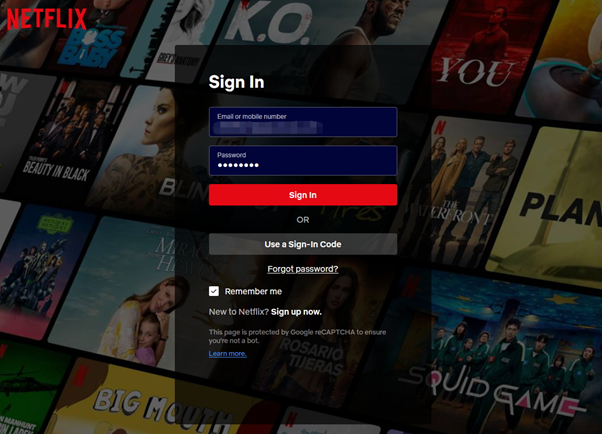
When you are in another country, Netflix will check and ask you to verify your device when you access it with a new Wi-Fi connection. They send the code to your email or phone, which is interlinked with the account. Write the code on your tablet or computer. Netflix, in this way, makes certain it is indeed you.
Pro Tip: Clean Up Your Devices Before You Travel
If you want to be extra cautious, head to your Netflix account and click on Manage Access & Devices before you leave. You should be on this page, which shows the list of devices that are using your account right now. Then, log out of all of those which you do not recognize or use anymore.
This will ensure that no screen & download limits will be imposed on your journey, and it will ensure the safety of your account.

Part 4: How to Watch Netflix Offline While Travelling?
With a little planning, it is also easy to watch Netflix on the go. Among the best you could get is downloading the movies and programs you take pleasure in before the journey. This will enable you to access them even if you have no Wi-Fi or mobile data available, at any time. Here’s how to do it:
Step 1: Open the Netflix App by using your Home Wi-Fi. Before you leave, just search for the titles you are interested in and tap on the download button. You can download some of this content so you will be able to view it while you are on the go.
Step 2: You can also switch aeroplane mode or switch off the internet once you are already on the road or in the air. The downloaded contents, though, can be played as usual, as long as it is not expired yet. Not all downloads are permanent, and it is a good thing to find out the expiry dates in advance.
And if you also like to have even more control over your downloads, for example, to select video quality or download it to a laptop, there are also some handy tools, such as Netflix Downloaders, that will give you more flexibility.
Flights, long road trips, or places with bad Internet are the perfect times for offline viewing. You just have to get your device ready, and you are good to roll.
Conclusion
Not that you cannot watch your favourite Netflix show while travelling. With the proper precautions like using the “I’m Travelling” function, pre-downloading the content, and familiarizing oneself with the account policies, Netflix can be used almost everywhere.
Just plan, have a low constraint on your plan, and use an offline method when you need it. This means you will get amazing entertainment on your future trip as well.
