

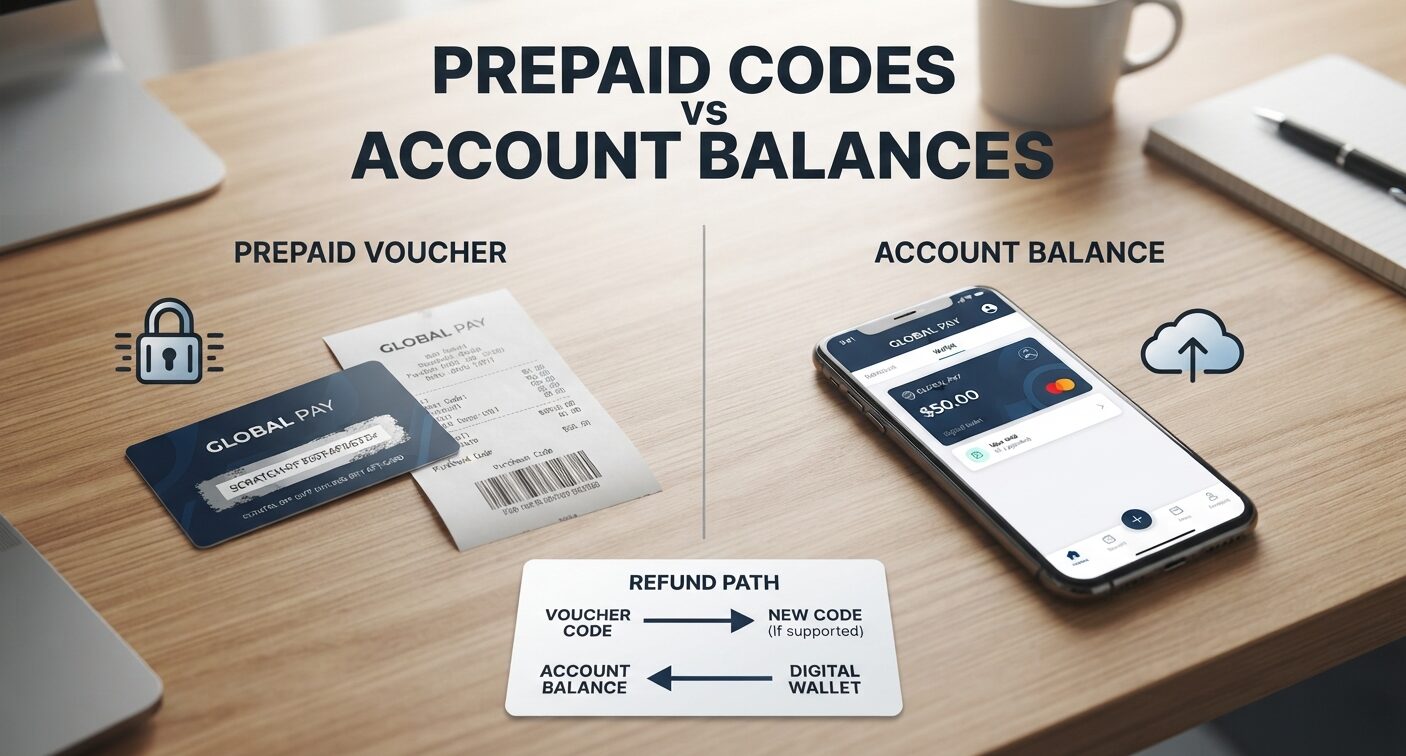
A prepaid payment can look simple: buy value, enter a code and complete a purchase. Details matter when a payment fails, a small balance remains or a refund is needed.
A voucher and an account balance may sit under the same brand while following different processes. Understanding the distinction helps users choose the right support route and helps businesses explain what customers can actually do with a payment product.
Identify the product you bought
Start with the receipt and the provider’s description. Does the purchase give you a code to enter at checkout, or does it add value to an account?
Is it intended for one merchant, several merchants or a defined region? These questions should be answered before comparing fees. Otherwise, a feature available to an account holder can be mistakenly attributed to a standalone voucher.
Keep the purchase record separate from the code itself. A receipt can help establish where and when a product was bought, while the code may be enough to spend its value. Do not post either indiscriminately in a public support discussion.
If a payment needs investigation, follow the provider’s stated process and provide only the information requested through that channel.
Match the merchant and the currency
A prepaid brand’s general availability does not mean every website accepts every product it offers. Check the merchant’s checkout and the provider’s compatibility information.
Also compare the currency of the prepaid value with the currency requested by the merchant. A conversion can affect the amount available for the purchase, even when the initial code balance appeared sufficient.
The PaysafeCard fees and limits page for Great Britain distinguishes prepaid-code charges, account charges, conversion and refunds. Its figures apply to the stated market, so they should not be copied into a universal guide.
What matters here is the structure: product type, account status and location can change which conditions apply. Read the page for the product and market you are using.
Separate paying in from getting money back
Acceptance for a purchase does not establish a reverse payment route. This distinction appears in specialist comparisons such as guides to the best paysafecard casinos, which discuss prepaid casino deposits alongside withdrawal methods.
For other digital purchases, ask the equivalent question before paying: if the order is cancelled or the service issues a refund, where does the money go? A code, account balance and bank transfer are different destinations and should be described separately.
Do not assume that a merchant can reload the original code. Check the process that applies to the transaction. A provider refund request may also differ from a merchant refund for a specific purchase.
Distinguishing them avoids sending the same question between two support teams that are responsible for different parts of the payment.
Deal with an incomplete payment methodically
If checkout fails, first find out whether value was deducted. Record the time, merchant and any transaction reference. Avoid repeating the attempt until the status is clear.
A page closing unexpectedly does not by itself reveal whether a payment succeeded. Look for an order confirmation and the provider’s balance or transaction information before deciding what happened.
For readers exploring related digital tools, ConnectionCafe’s software section offers broader coverage of applications and practical technology.
Payment troubleshooting benefits from the same discipline as other software problems: describe the exact action and result. ‘The balance changed but no order appeared’ gives support more useful information than ‘the code is broken’.
Keep track of residual value
A small leftover amount is easy to forget. Note where it is held and whether any time-related charges apply. Do not assume that unused value remains unchanged indefinitely.
Check whether combining balances is supported rather than trying to invent a workaround at checkout. The provider’s own product rules should determine the next step.
Before buying another code, look at the intended purchase amount and the value already available. A simple record can prevent duplicate spending and make later questions easier to resolve. The goal is not to build a payment spreadsheet.
It is to know which product you hold, what it can pay for and how to check its status. Once those points are clear, prepaid payments become easier to understand beyond the first purchase.
