

If you boot up a game like Steal a Brainrot Modded into Roblox, it all goes bonkers, as the screen becomes a rabid clown circus of sound, strange avatars, and erratic motion. No warm-up. And you are dropped in the bowels of insanity, players snapping away at brainrots creaking like maniacs, sound effects and general physical chaos doing their best to spoil you up. It is stupid, badly ruined, and hysterical.
Roblox-modded games, such as this, are no longer an outlier trend. They are drawing mad traffic. Players will go after the mods stuffed with glitches and chaos to laugh at, but these games can be tough on mobile lag, spacey controls, crashes, and what have you.
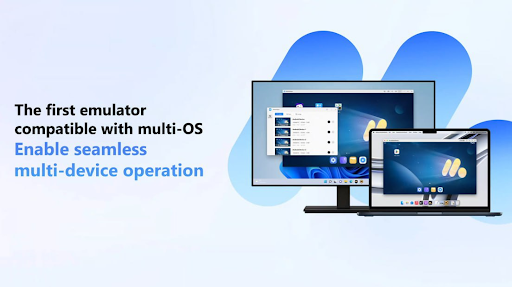 Why MuMuPlayer V5.0 Was the Right Call
Mobile games such as Steal a Brainrot Modded put mobile devices to the test. The heavy influences, random behavior, and glitch-ridden settings all cause noticeable lagging, overheating, and frustrating game freezes. And then add small screens and clumsy touchscreen controls, and it becomes less fun than painful, particularly in a game where a fast response time is crucial.
That is where MuMuPlayer V5.0 comes to save the day as a more intelligent solution. When launched through the latest MuMuPlayer emulator, the game loads faster, graphics appear sharper, and crashes become less frequent.
It serves up intensive modded content quite well in comparison with the majority of mobile outfits. Players also have seamless movement and perfect timing, given full use of the keyboard and mouse, which is especially essential in action-packed Roblox mods.
No tricky setup to follow, it is plug-and-play with minimum headache and maximum control. Incidentally, its key strength is that the new user interface provides users with an ad-free and interactive experience.
What Playing “Steal a Brainrot Modded” Felt Like on MuMuPlayer
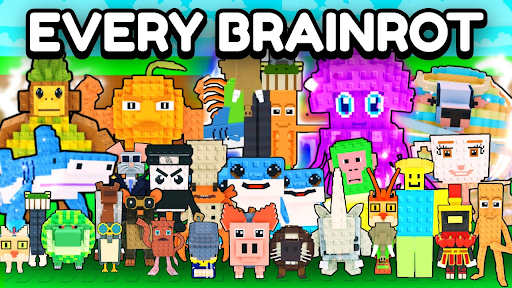 Steal a Brainrot Modded is not an ordinary Roblox game. That is the whole mess by design. As players make mad dashes over glitchy maps, stealing other players’ brainrot, the screams of sound effects ring all about. The physics is wildly unpredictable.
Your character is tossed across the map like a rubber band. One second, he is just in the air, and the next, he is thrown away. Everything acts as if it is not supposed to, and that is the point. The primary difference between this mod and others lies in its approach to embracing instability. Bugs are intentional. When characters collide with walls, bounce off the ground, or simply disappear. It is random, and that is what makes it exciting.
On MuMuPlayer, however, the insanity is copable. With full keyboard and mouse support, the reaction time is increased.
3 Things That Just Work Better with MuMuPlayer V5.0
Some games are constructed around a tame strategy. Steal a Brainrot Modded is not among them. It is wild–fast, noisy, and overwhelming on the eyes. That is why how you play it counts. And this is where MuMuPlayer V5.0 simplifies the chaos, instead of complicating it.
- Keyboard controls keep up when everything’s moving at 200mph
In a game this fast, touch controls can’t compete. On MuMuPlayer, precise keyboard input helps players dodge chaos, land tricky jumps, and steal brainrots more efficiently. - Higher resolution exposes threats before they hit
The ability to see glitchy enemies charging from across the map gives players a real edge and more time to react. - Stable FPS even when the game is breaking
MuMuPlayer holds its frame rate when other setups stutter. That means smoother gameplay, fewer crashes, and less frustration during peak madness.
3 Reasons to Use MuMuPlayer for Roblox
 MuMuPlayer has genuine value even beyond the lunacy of modded games, to be certain. Be it competition in obstacle courses or social gatherings, custom RPGs, this emulator does it all with less strain and more comfort.
- Bigger screen, no finger cramps
Playing long sessions on a phone often leads to sore thumbs and missed taps. With a full monitor, players see more and interact better, especially during fast-paced minigames. - Simple setup, no extra drivers or tech headaches
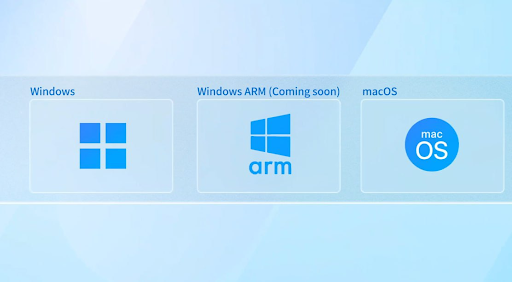
MuMuPlayer V5.0 installs quickly and runs smoothly without asking for endless updates, permissions, or tweaks. Just download, install, and start playing. - Run Android games and apps on PC or Mac
It’s not just for Roblox. Any Android game can be played without needing an expensive gaming phone, saving money and battery life while leveling up performance.
Play Games Smarter
Steal a Brainrot Modded isn’t trying to be serious. It’s loud, broken, messy, and completely hilarious. That’s what makes it fun, but trying to play something this ridiculous on a small phone with clunky controls?
That’s where the fun stops fast. For games like this, MuMuPlayer V5.0 doesn’t just help. It changes everything. It takes the glitchy madness and makes it playable, even smooth.
The screen’s bigger, the controls work, and the game doesn’t crash just because someone launched a physics bug across the map. So whether it’s modded Roblox chaos or another strange Android title, MuMuPlayer offers a smarter, calmer way to handle it.
